Branded Short Links: Create Links People Trust and Click
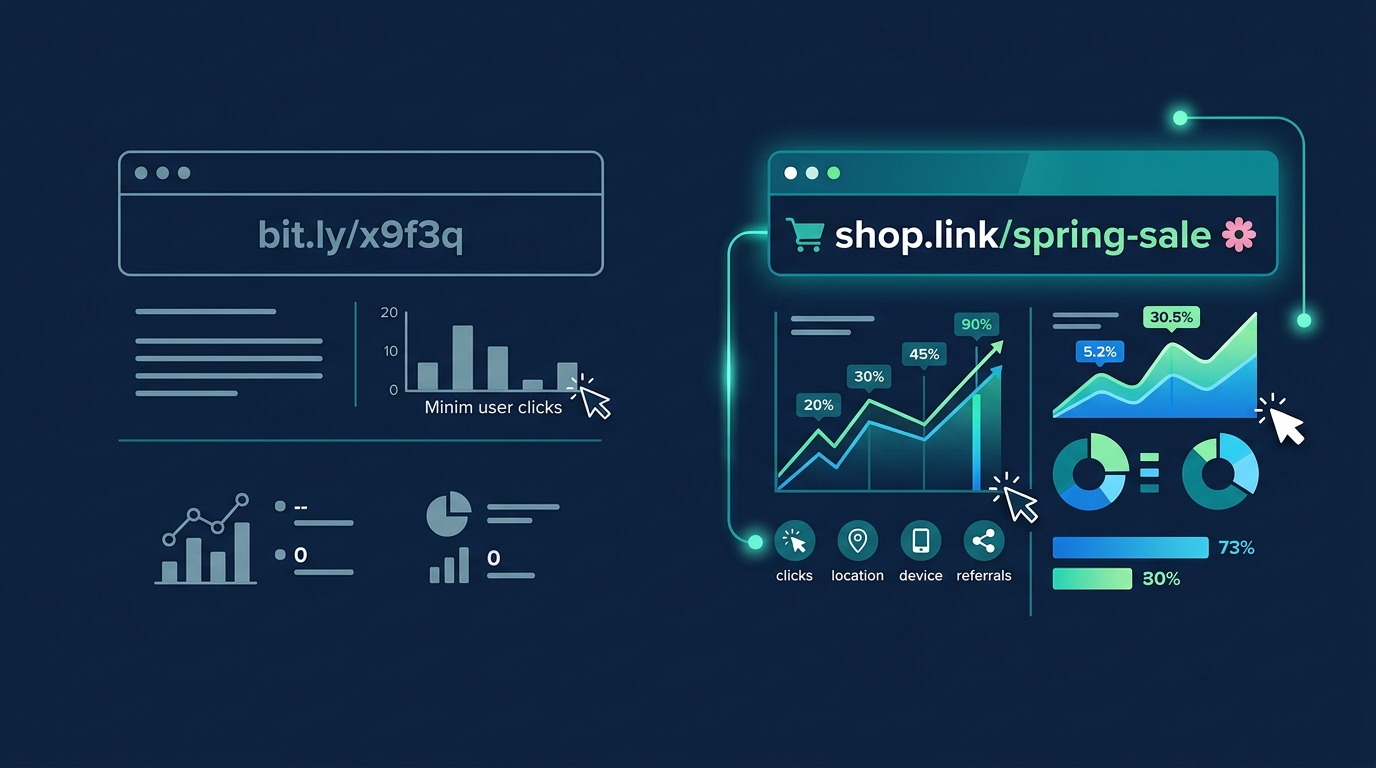
Would You Click a Link That Looks Like bit.ly/x9f3q?
Neither would your customers. Generic short links look suspicious, get flagged by spam filters, and quietly kill your click-through rates. Branded short links fix all of that. Instead of sharing a cryptic string of characters, you share a clean, recognizable URL that tells people exactly who is behind the link and where it leads.
In this guide, you will learn what branded short links are, why they dramatically outperform generic URLs, and how to create your own in minutes, even if you have never touched DNS settings before.
What Are Branded Short Links?
A branded short link uses your own custom domain instead of a generic shortener like bit.ly or tinyurl.com. Instead of bit.ly/x9f3q, your link looks like yourshop.link/spring-sale or go.forjio.com/linksnap. The difference is immediately obvious: one looks like spam, the other looks like a real business. Your domain, your brand, your link.
Generic Links vs. Branded Links
Generic short links strip away all context. Your audience sees a random domain and a random slug, and they have to decide whether to trust it. With phishing attacks increasingly using services like bit.ly to mask malicious URLs, that trust is eroding fast. Branded links solve this by putting your name front and center. The link itself becomes a trust signal.
Tip
Think of branded links like business cards. You would never hand someone a blank card with a phone number scribbled on it. Your links deserve the same professionalism.
Do Branded Short Links Actually Get More Clicks?
Yes, and the data is not even close. Rebrandly analyzed over 1 billion clicks across 2 million links and found that branded short links get up to 39% more clicks than generic alternatives. That is not a marginal improvement. That is nearly four out of every ten clicks you are currently leaving on the table. Bitly's own 2026 data tells a similar story: links using custom domains receive 2.3 times more clicks on average.
Here is the kicker. Bitly reported that their free users (who mostly use generic bit.ly links) saw traffic drop 48% year over year in 2025. Meanwhile, paid users with branded domains saw traffic grow 88% over the same period. Generic links are not just underperforming. They are actively losing ground.
The Spam Filter Problem
Email providers and social platforms are getting smarter about filtering suspicious links. Generic short URLs from shared domains get flagged more often because spammers use the same services. A branded domain is uniquely yours, which means better deliverability in email campaigns and fewer warnings on social media posts.
How to Create Branded Short Links Step by Step
Step 1: Pick Your Short Domain
Choose a short, memorable domain that reflects your brand. It should be easy to type, easy to say aloud, and clearly connected to your business. Popular options include yourname.link, go.yourbrand.com, or a creative ccTLD like .io or .co. Keep it under 15 characters if possible. A custom short domain typically costs between 1 and 12 dollars per year, which pays for itself within days when you factor in the CTR lift.
Step 2: Connect Your Domain
Point your domain to your URL shortener with a simple DNS record. Most shorteners walk you through this. With LinkSnap, you add a single CNAME record, verify it, and you are done. No server setup, no technical gymnastics.
Step 3: Create Your First Branded Link
Paste your destination URL, customize the slug (the part after the slash), and hit create. That is it. Your branded link is live and tracking clicks immediately.
Step 4: Write Click-Worthy Slugs
The slug is where most people get lazy. Do not default to random characters or auto-generated strings. A good slug is short, descriptive, and lowercase. Compare these two links: yourshop.link/x7f3q versus yourshop.link/spring-sale. The second one tells the reader exactly what to expect, and that predictability drives clicks.
Tip
Slug formulas that work: /product-name, /campaign-season, /event-city. Avoid dates in slugs (they age poorly) and special characters (they break on some platforms).
5 Best Practices for Branded Short Links That Convert
- Keep slugs short, descriptive, and lowercase. Three to five words maximum. No underscores, no camelCase, no mystery strings.
- Use UTM parameters for campaign tracking. Your shortened URL can carry full UTM tags without the ugliness showing in the branded link itself.
- Match the link to the landing page promise. If your slug says /free-guide, the page better deliver a free guide. Mismatched expectations kill trust faster than a generic link ever could.
- A/B test your slugs. Try /get-started versus /free-trial versus /demo and see which one your audience actually clicks. Small differences in slug wording can move CTR by double digits.
- Pair branded links with branded QR codes. QR code scans grew 323% since 2021, and branded QR codes get 37% higher scan rates than generic black-and-white ones. If you are already investing in branded links, extending that branding to QR codes is a free win.
Where to Use Branded Short Links
Social Media Bios and Posts
Your Instagram bio, Twitter profile, and TikTok link-in-bio all benefit from branded links. A clean URL like yourshop.link/instagram looks intentional and professional. It also lets you swap the destination without changing the link itself, so your bio link always stays current.
Email Campaigns and Newsletters
Email marketing delivers a 36:1 ROI on average, but only if people actually click your links. Branded URLs in emails build trust and improve deliverability. Your subscribers see your domain, not a generic shortener that their spam filter has been trained to flag.
Print Materials and Packaging
Business cards, product inserts, event flyers, even sticker packs. Anywhere you print a URL, a branded short link is easier to type and easier to remember. Imagine a sticker pack insert that says yourshop.link/stickers instead of a 90-character Gumroad URL. That is the difference between someone typing it in and someone tossing the card.
SMS and Messaging Apps
Character limits matter in SMS. A branded short link saves space while looking far more trustworthy than a generic shortened URL. In WhatsApp and Telegram groups, where link previews often fail for unknown domains, a recognizable branded URL gives recipients confidence to tap.
Branded Links and QR Codes: The Offline-to-Online Bridge
QR codes have moved far beyond restaurant menus. In 2026, 94% of marketers report using QR codes in their campaigns. When you pair a branded short link with a branded QR code, you create a seamless bridge between physical and digital touchpoints.
Print a branded QR code on your planner's back cover that links to your digital shop. Add one to your worksheet packaging that leads to bonus resources. Put one on your business card that opens your portfolio. Every scan is a tracked interaction, and every interaction reinforces your brand.
Forjio Studio
Dark Academia Planner 2026
A 132-page digital planner with dark walnut, parchment & gold aesthetic.
Learn more →Common Mistakes That Kill Your Click-Through Rate
- Using random character slugs. If your link ends in /x7f3q, you are telling your audience nothing about where that link goes. Every random slug is a missed opportunity to communicate value.
- Choosing a confusing or long short domain. The whole point of a short link is brevity. If your domain is already 20 characters, the branded link barely saves any space. Keep the domain short and recognizable.
- Not tracking or updating expired links. A branded link that leads to a 404 page is worse than no link at all. It signals that your brand does not pay attention to details. Audit your links quarterly.
- Ignoring link previews. When someone shares your branded link on social media or messaging apps, the link preview (title, description, image) is often the first impression. Make sure your destination pages have proper Open Graph tags.
How LinkSnap Makes Branded Short Links Simple
LinkSnap was built for creators and small businesses who want professional branded links without enterprise complexity or enterprise pricing. Connect your custom domain in minutes with guided DNS setup. Create branded links with clean, custom slugs. Track every click with a real-time analytics dashboard that shows you where your audience is, what they are clicking, and when.
Need QR codes? LinkSnap generates branded QR codes for every link automatically. No separate tool, no extra cost. Share your links in print, on packaging, or in presentations, and track scans alongside your click data in one place.
Whether you are a solo creator selling digital planners, an educator sharing worksheets with parents, or a small business owner running your first email campaign, LinkSnap gives you the same branded link capabilities that enterprise tools charge ten times more for.
Start Building Trust With Every Link You Share
Every link you share is a micro-interaction with your audience. Generic short links waste that interaction. Branded short links turn it into a trust signal, a branding opportunity, and a measurable data point. The setup takes minutes, a custom domain costs a few dollars a year, and the impact on your click-through rates is immediate and measurable.
The tools exist. The data is clear. The cost is negligible. Stop sharing links that look like spam. Start sharing links that look like you.