Best Digital Planner Apps for iPad in 2026
Why Digital Planners Are Taking Over in 2026
Paper planners had a good run, but the best digital planner apps for iPad have changed the game entirely. You get unlimited pages, searchable handwriting, cloud sync across every device, and the ability to drag in stickers, photos, and hyperlinked tabs that make paper feel like a typewriter. The shift is not hypothetical — digital planner template sales on Etsy and Gumroad have grown over 40% year-over-year since 2024, and Apple Pencil adoption keeps climbing.
Whether you are a student organizing semester schedules, a professional managing projects, or a creative journaler who wants beautiful spreads without wasting paper, there is an app built for how you plan. This guide covers the best digital planner apps for iPad in 2026 — what each one does well, what it costs, and how to get started even if you have never touched a digital planner before.
Best Overall Digital Planner App — GoodNotes
GoodNotes remains the gold standard for digital planning on iPad. Its handwriting engine feels natural with zero lag on Apple Pencil, and the AI-powered handwriting recognition lets you search through months of handwritten notes instantly. Import any PDF planner template and GoodNotes treats it like a native notebook — hyperlinked tabs work, you can add pages anywhere, and stickers snap into place with drag-and-drop.
What Makes GoodNotes Stand Out
- AI handwriting search finds any word across all your notebooks in seconds.
- Template import supports hyperlinked PDF planners with clickable tabs and dated pages.
- Sticker books let you organize and reuse digital sticker packs without cluttering your workspace.
- Cross-device sync through iCloud keeps your planner updated on iPad, iPhone, and Mac.
GoodNotes uses a freemium model — three notebooks free, then $9.99 per year or a one-time purchase of $29.99 for unlimited access. For serious planners, the unlimited plan pays for itself the moment you stop buying physical refills.
Tip
GoodNotes works beautifully with third-party planner templates. Import a hyperlinked PDF planner and you get clickable monthly, weekly, and daily tabs — just like flipping pages in a physical planner, but faster.
Best for Note-Takers — Notability
If your planning sessions involve meeting notes, lecture recordings, or brainstorming, Notability is the best digital planner app for combining writing with audio. Its signature feature — audio-synced notes — records while you write and links each stroke to the exact moment in the recording. Tap any word and hear what was being said when you wrote it. For students and professionals, this is transformative.
Notability supports PDF planner templates, digital stickers, and Apple Pencil with full pressure sensitivity. The writing experience is smooth and responsive. Cross-device sync works through iCloud, and the interface is cleaner and more focused than GoodNotes — fewer features, but the ones it has are polished. Pricing is $14.99 per year for full access.
Best Free Digital Planner App — CollaNote
CollaNote is the answer for anyone who wants a capable digital planner without paying a dollar. Unlimited notebooks, full Apple Pencil support, PDF annotation, and real-time collaboration — all free. The app is built by a solo developer and supported by the community, which means no ads and no paywalls.
The trade-off is a smaller feature set compared to GoodNotes or Notability. You will not get AI handwriting search or audio recording. But for straightforward digital planning — importing a PDF template, writing on it, organizing pages — CollaNote handles everything you need. If you are testing whether digital planning works for you before committing to a paid app, start here.
Best for Creative Planners — Zinnia
Zinnia is built for people who treat their planner like a canvas. It combines bullet journaling, mood tracking, habit logging, and freeform sketching into one app designed specifically for creative planning. The interface feels like an art studio — customizable brushes, washi tape, stamps, and artistic layouts that go far beyond standard grid-and-line templates.
This is the app for the dark academia journaler, the aesthetic planner enthusiast, and anyone who finds GoodNotes too utilitarian. Zinnia offers a free tier with limited features and a premium plan at $39.99 per year that unlocks everything. If your planning style is as much about self-expression as organization, Zinnia is your app.
Forjio Studio
Dark Academia Planner 2026
A 132-page digital planner with dark walnut, parchment & gold aesthetic.
Learn more →More Digital Planner Apps Worth Trying
Things 3 — Minimalist Task Planning
Things 3 is not a notebook app — it is a task manager with one of the best-designed interfaces on iPad. If your planning style is list-based rather than visual, Things 3 offers areas, projects, headings, and tags that let you organize everything from daily tasks to long-term goals. One-time purchase at $9.99 for iPad.
TickTick — Pomodoro and Habit Tracking Built In
TickTick combines task management with a built-in Pomodoro timer and habit tracker. For planners who want productivity tools integrated directly into their planning workflow, TickTick eliminates the need for separate apps. The free tier is generous and the premium plan runs $35.99 per year.
Xodo — Cross-Platform PDF Planner Support
Xodo is the best option if you use both iPad and Android or Windows devices. It handles PDF planner templates with full annotation support across every platform. Hyperlinked tabs work, Apple Pencil is supported on iPad, and sync keeps everything consistent. If you are not locked into the Apple ecosystem, Xodo gives you the most flexibility.
How to Get Started with Digital Planning on iPad
Starting with digital planning is simpler than most guides make it sound. You need an iPad with Apple Pencil support, a planner app from this list, and a planner template. That is it. No special setup, no complicated workflow.
Choosing Your iPad and Apple Pencil
Any iPad that supports Apple Pencil works for digital planning. The iPad Air and iPad Pro offer the best writing experience with ProMotion displays, but the base iPad with Apple Pencil 1st generation is perfectly capable. If you already own an iPad, you are ready to start.
Importing Your First Planner Template
- Download a PDF planner template from a marketplace like Etsy, Gumroad, or an independent creator's shop.
- Open the PDF file on your iPad and tap the share button.
- Select your planner app (GoodNotes, Notability, or Xodo) from the share menu.
- The template imports as a new notebook with all hyperlinked tabs and dated pages intact.
- Start writing — tap any tab to jump between monthly, weekly, and daily views.
Tip
Look for planner templates with hyperlinked tabs, monthly and weekly views, and customizable covers. These features make digital planners dramatically more useful than simple blank-page notebooks.
Using Digital Stickers to Customize Your Planner
Digital stickers are the secret weapon that makes digital planners feel personal. Drag a coffee cup sticker onto your morning routine page, mark completed tasks with a checkmark sticker, or add decorative washi tape borders to section dividers. In GoodNotes and Notability, stickers work like real stickers — place them anywhere, resize them, and reuse them infinitely.
The sticker ecosystem has exploded in 2026. Cute kawaii packs, minimalist icon sets, dark academia themed collections, and seasonal holiday stickers are all available as instant downloads. A good sticker pack transforms a plain template into something that feels uniquely yours — and unlike physical stickers, you never run out.
Best Digital Planner Apps for iPad — Which One Should You Choose
The right app depends on how you plan. GoodNotes is the best all-around choice for most people — the template support, handwriting search, and sticker system cover every planning style. Notability wins if audio recording matters to your workflow. CollaNote is the smart starting point if you want to try digital planning without spending money. Zinnia is the pick for creative journalers who want artistic freedom. And if you plan across multiple platforms, Xodo keeps everything in sync.
- Best overall: GoodNotes — powerful template support, AI handwriting search, sticker books.
- Best for students and meetings: Notability — audio-synced notes change how you review.
- Best free option: CollaNote — full Apple Pencil support, unlimited notebooks, zero cost.
- Best for creatives: Zinnia — artistic layouts, bullet journaling, mood tracking.
- Best cross-platform: Xodo — works on iPad, Android, and Windows with full PDF support.
Download one of these apps, import a planner template, and spend 10 minutes writing in it. That is all it takes to know whether digital planning works for you. Most people never go back to paper.
Forjio Studio
Montessori Spring Worksheets
50+ printable worksheets for preschool & kindergarten.
Learn more →Related Posts
Apr 5, 2026 · 6 min read
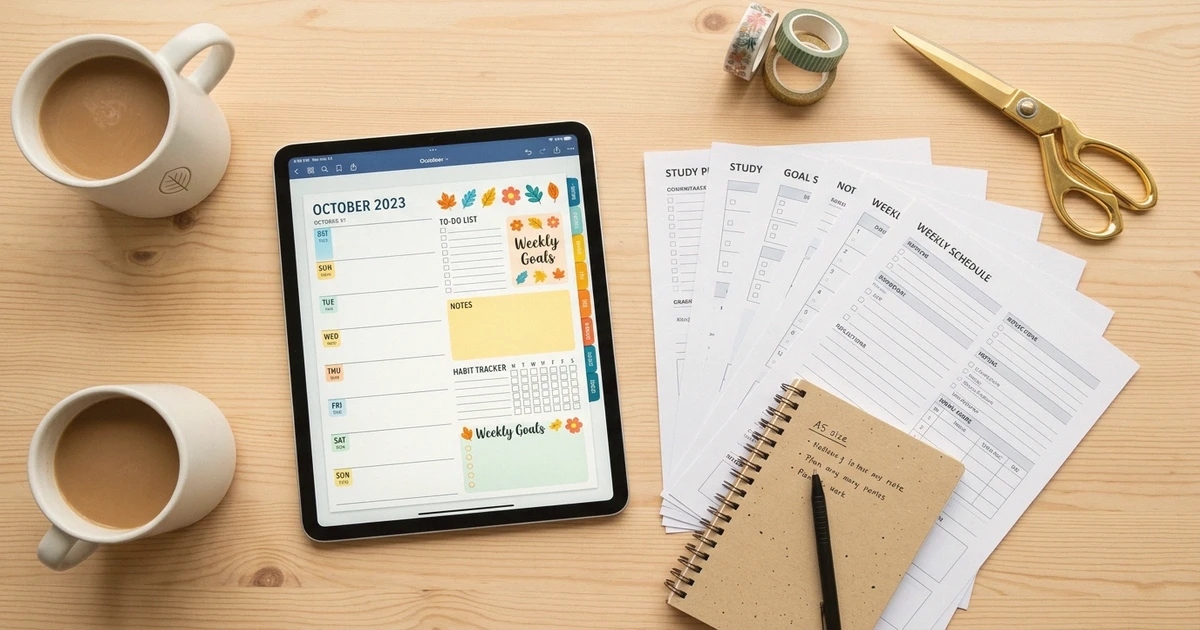
How Digital Stickers Transform Your Planner and Notes
Digital stickers make planners and notes more functional, not just prettier. Learn how to use them for organization, habit tracking, and creative expression.
Apr 7, 2026 · 6 min read
How to Sell Digital Products on Etsy in 2026
Learn how to sell digital products on Etsy in 2026. A complete guide covering shop setup, Etsy SEO, pricing, marketing with branded links, and scaling.

Apr 6, 2026 · 6 min read
QR Codes for Small Business: A Complete Guide
QR codes for small business are essential in 2026. Learn practical use cases, setup steps, best practices, and why branded short links make every scan count.